
Choosing the best X Ray Security Scanner in 2026 is less about finding one universal winner and more about matching equipment to the screening environment. Airports, transport hubs, and commercial facilities face different demands for throughput, image detail, available space, and system integration. Scale matters.
The need for careful selection is clear. Airports Council International’s preliminary 2024 figures put global passenger traffic at about 9.5 billion journeys. The U.S. Transportation Security Administration reported screening more than 904 million travelers that year. These figures describe screening demand, not scanner performance; that distinction matters when comparing products.
This guide examines common options, including single-view, dual-view, and computed tomography systems, through practical criteria: image interpretation, belt speed, footprint, maintenance, and total operating cost. A published throughput figure may look impressive, yet site layout and staffing can change real-world results. Context matters. We will also consider how independent testing, applicable technical standards, and vendor documentation support a sound decision. No scanner type is best for every site, and some trade-offs remain inconvenient. The most defensible choice is the one that meets documented operational needs and can be evaluated consistently—not simply the model with the most features.
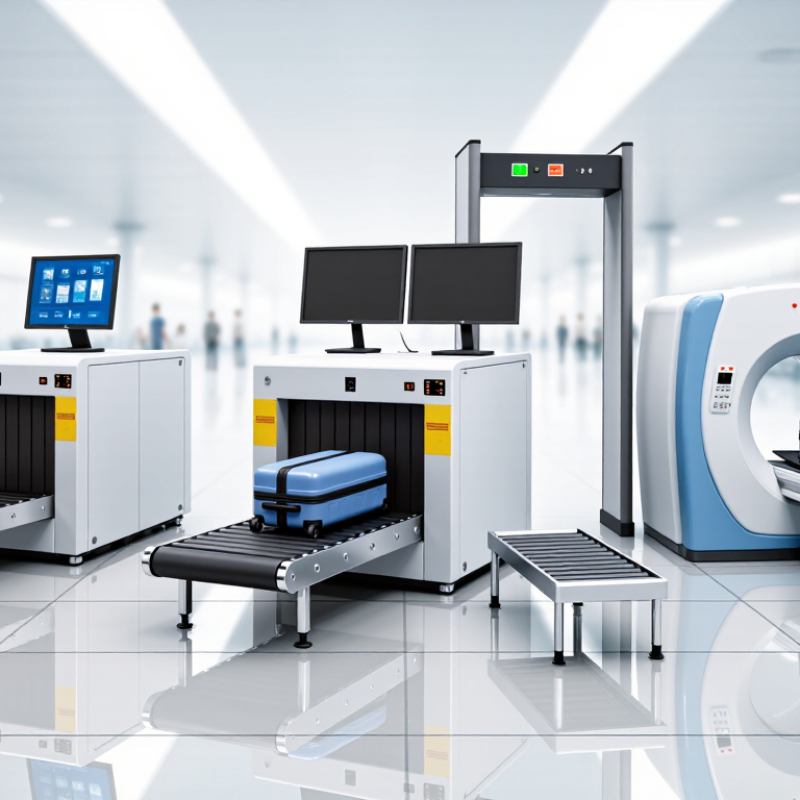
Security X-ray scanners work by sending a controlled beam through items on a moving conveyor. Detectors on the opposite side measure how much radiation passes through. Materials absorb X-rays differently, so the system turns those readings into a detailed image. Denser areas usually appear with different tones or colors than lighter materials. Color schemes vary by scanner, so operators learn the specific display rather than relying on color alone.
The image is not a photograph. It is a processed view of overlapping shapes, which can make crowded bags harder to assess. No image is self-explanatory. Operators examine edges, textures, and density patterns, then follow established procedures when details are unclear. Inside the tunnel, shielding helps contain radiation, while safety sensors stop the conveyor if access panels are opened. Regular equipment checks help keep images consistent. When comparing scanners in 2026, consider image clarity, conveyor capacity, operator training, and maintenance support. A faster system is not always the better fit. Real working conditions matter.
Security X-ray scanners are built for different screening environments, not one universal task. Cabinet-style units suit small parcels and bags placed on a tray. Their compact footprint works well at reception desks or controlled entry points. Conveyor scanners move items through a tunnel, making them useful where steady passenger or parcel flow matters. Size matters.
For larger loads, pallet and cargo scanners provide a wider inspection area. They can reduce the need to unpack goods, but require more floor space and careful traffic planning. Some systems capture images from multiple angles, while dual-energy imaging can help operators distinguish material groups. These features support interpretation; they do not replace trained review. Image quality also depends on item arrangement, scanner settings, and regular maintenance.
Choosing between scanner types means matching the equipment to the objects, throughput, and available space. A busy checkpoint may benefit from a conveyor system, while a small facility may need only a cabinet unit. In practice, buyers can overvalue image detail and underestimate queue flow. I would not treat that as a fixed rule, though: local operating conditions can change the right choice. Consider staff training, service access, and the time needed to resolve unclear images before making a decision.
| Scanner Type | Typical Inspection Target | How It Works | Main Advantages | Key Limitations | Best Suited For |
|---|---|---|---|---|---|
| Cabinet / Conveyer-Belt X-Ray Scanner | Carry-on bags, parcels, mail, and other small or medium-sized items | Items pass through a shielded inspection tunnel on a conveyor. The system creates an image of the contents, often using material-sensitive colour or density display. | Continuous throughput; compact installation options; widely used for routine screening; available with single-view or multi-view imaging. | Item size is limited by the tunnel opening. Image interpretation may be difficult when objects overlap or are densely packed. | Building entrances, event venues, offices, and checkpoints handling bags or parcels. |
| Computed Tomography (CT) Scanner | Cabin baggage, parcels, and selected security-screening applications | Collects multiple X-ray measurements from different angles and reconstructs cross-sectional or three-dimensional images. | Provides more spatial information than a conventional two-dimensional image and can support automated detection functions, depending on the system and deployment. | Generally costs more and can require more space, power, maintenance, and image-review training than basic cabinet systems. | High-throughput checkpoints or sites where detailed three-dimensional inspection and applicable screening requirements are priorities. |
| Checked-Baggage / Hold-Baggage Scanner | Suitcases and other baggage processed through airport baggage-handling systems | Uses larger, high-throughput X-ray equipment integrated with baggage conveyors; some installations use CT-based screening. | Designed to inspect baggage at operational scale and integrate with automated handling and screening workflows. | Requires substantial infrastructure and careful integration with conveyor systems, screening procedures, and baggage operations. | Airports and other facilities screening large volumes of checked baggage. |
| Cargo and Pallet X-Ray Scanner | Freight, palletized goods, large packages, and containerized cargo | Uses a larger inspection opening and higher-energy X-rays than small-item systems to image dense or oversized loads. | Can inspect shipments without unpacking every item and is available in configurations for different cargo sizes and workflows. | Image quality depends on load density, material composition, and cargo arrangement. Large installations need significant floor space and operational controls. | Logistics hubs, freight facilities, customs operations, and distribution sites requiring non-intrusive cargo inspection. |
| Vehicle and Container X-Ray Scanner | Cars, trucks, cargo vehicles, and shipping containers | Uses high-energy X-rays to inspect the vehicle or container and reveal differences in internal density. Systems may be fixed, mobile, or designed for drive-through operation. | Can screen large loads and help identify concealed or undeclared contents without a full manual search. | Requires controlled access, trained operators, substantial safety procedures, and careful management of vehicle flow. Suitability depends on the vehicle and screening objective. | Ports, border crossings, secure logistics sites, and other controlled vehicle-inspection areas. |
| Portable or Mobile X-Ray System | Selected objects or cargo inspected at temporary or changing locations | Equipment is transported to the inspection location or mounted on a mobile platform; system design and imaging method vary by application. | Offers greater deployment flexibility than a permanently installed inspection lane. | Capability, image detail, throughput, and operating requirements vary considerably. A mobile system is not automatically suitable for every item or environment. | Temporary screening operations or sites where fixed installation is impractical, subject to applicable safety and operational requirements. |
| Backscatter X-Ray System | Selected vehicle, cargo, or object-screening applications | Forms an image using X-rays scattered back from an object rather than relying only on radiation transmitted through it. | Can provide useful imaging of surface and near-surface features in applications designed for backscatter inspection. | Penetration and image characteristics differ from transmission systems; it may not provide the same information for dense or deeply concealed contents. | Specialized screening tasks where the system’s backscatter imaging method matches the inspection objective. |
How to choose: There is no single best scanner for every site. Match the system to the items being inspected, required throughput, available space, image-review workflow, installation needs, and applicable safety and regulatory requirements.
X-ray scanner types differ in how they reveal objects and how quickly they process bags. A single-view system produces one image, which can be efficient for straightforward screening. Its limits become clearer when items overlap. Dense or crowded images may require closer review.
Dual-view scanners show the same bag from two angles. This can clarify shapes hidden in one view, reducing some manual image checks. Yet extra views do not guarantee faster decisions. Staff still need clear displays, consistent training, and enough time per image. Small details matter.
Computed tomography systems create cross-sectional images that can support a more detailed assessment of contents. They may suit locations where detection depth is a priority, but their speed depends on the model, settings, and operating workflow. Measure actual bags per hour, not a brochure’s peak figure. Test typical loads. Queues, bag spacing, and operator familiarity can change results. A scanner that looks impressive in a demonstration may feel slower during a busy shift. That distinction is easy to miss. Compare image clarity, alarm review time, maintenance needs, and throughput under the same conditions before choosing.
How scanner types differ in detection and throughput
Bars show whether each scanner type typically provides the listed core imaging output (1 = yes, 0 = no). Single- and dual-energy scanners produce transmission images; dual-energy systems can also distinguish material classes. CT produces 3D volumetric images, while backscatter systems form images from scattered X-rays. There is no universal throughput ranking by scanner type: actual throughput depends on the specific system, conveyor speed, item spacing, and screening workflow.
How to Match a Scanner to Its Security Setting
The best X-ray security scanner in 2026 is the one that fits the site, not the one with the longest feature list. A small reception desk handling occasional deliveries has different needs from a busy transport hub. For low volumes, a compact cabinet system may suit parcels and bags. For steady flows, a conveyor scanner can help manage queues, provided its tunnel fits the items routinely screened. Fit matters.
Start with the space and workload. Measure the largest typical item, the available floor area, and the number of objects screened during peak periods. Check belt speed, image display features, and operator ergonomics against real daily tasks. A narrow hallway or cramped control desk can make an otherwise capable system awkward to use. Small details count.
Plan for people as well as equipment. Operators need practical training, clear procedures, and enough time to review images carefully. Ask how routine testing, servicing, and technical support will work at your site. Confirm that installation and operation follow applicable radiation-safety requirements. A specification sheet can look convincing; it cannot show how smoothly a scanner fits into a busy shift. No option is perfect, and the right balance may need revisiting as workloads change.
In 2026, choosing an X-ray security scanner is less about chasing the highest image resolution and more about matching the system to its daily workload. A busy transport hub may need rapid belt movement, while a courthouse may value a compact footprint and clear operator controls. Throughput matters. Yet speed without consistent image quality can create review backlogs rather than reduce them. Ask suppliers for performance data under conditions that resemble your site, including typical package sizes and peak-hour volume.
Image clarity, penetration capability, and software assistance should be assessed together. Operators need recognizable details on a stable screen, not a crowded interface full of alerts. Test the scanner with representative, benign objects and ask several trained users to interpret the same images. Their results may differ. That difference can reveal training needs or interface problems. Automated tools can support decisions, but should not replace documented procedures or human oversight.
Also compare radiation-safety documentation, accessibility, maintenance intervals, and service response times. A scanner that fits through a doorway but blocks an evacuation route is not a practical choice. Check power needs, network compatibility, data-retention settings, and local technical support. Total cost includes installation, training, downtime, and upgrades—not only the purchase price. One detail is easy to miss: ask how performance is verified after software changes. No single model suits every site; the best choice depends on measured needs, not a polished demonstration.