
The best Laser Equipment to buy in 2026 is not necessarily the fastest or most expensive machine. It is the one that suits your materials, workload, workspace, and budget. A small studio marking coated metal has different needs from a workshop cutting plywood or acrylic. Start with the jobs you expect to repeat, not the most impressive product photo. That matters.
Compare laser type, working area, power, software, and material compatibility. A larger bed may help with full-size sheets, while a compact machine can fit a crowded bench. Check sample results on your actual materials whenever possible. Engraved text should look clean; cut edges should match your quality needs. Not just speed. A high wattage number alone cannot guarantee a better finish or lower running costs.
Safety and support belong in the buying decision, too. Look for a suitable enclosure, effective fume extraction, clear operating instructions, and responsive manufacturer service. Confirm what the machine includes, such as lenses, air assist, and installation guidance. Check the details. Specifications can be confusing, and advertised capabilities may depend on material thickness, settings, and ventilation. Even a careful shortlist can miss a practical issue, like whether replacement parts are easy to obtain. That is worth thinking about.
This guide compares common equipment types and the trade-offs that matter in 2026. It aims to help makers, small businesses, and established workshops ask better questions before spending. There may not be one perfect choice. A sensible match, supported by clear specifications and dependable service, is usually the better buy.
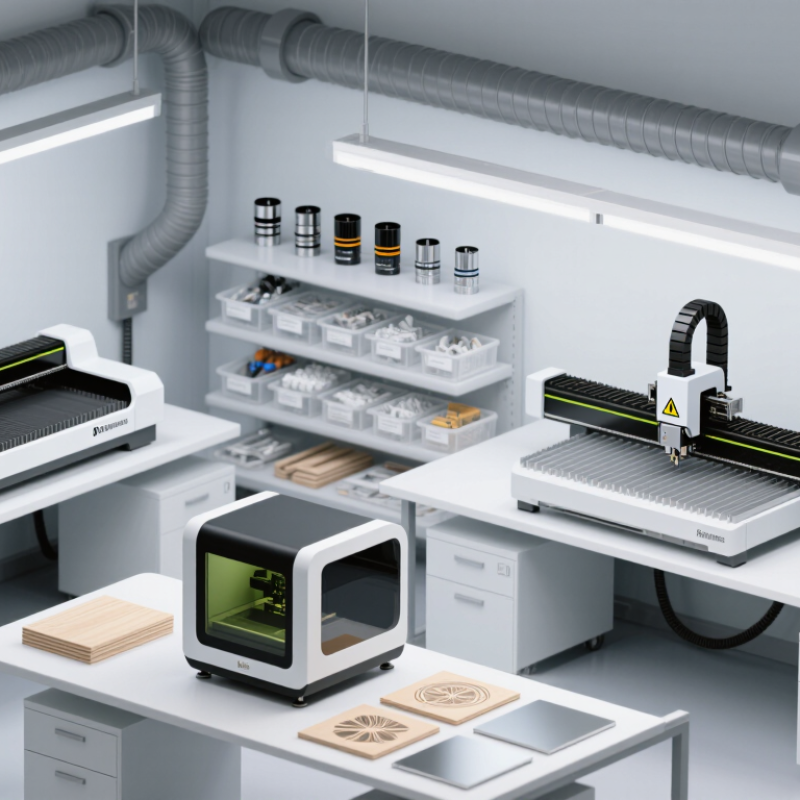
Laser equipment is best classified by its light source and the work it must perform. These categories matter more than a headline power rating. CO2 systems are often suited to wood, acrylic, paper, and some fabrics. Fiber lasers commonly process metals, including for marking and cutting. UV systems can make fine marks on certain heat-sensitive materials, while diode units are often used for lighter engraving and thin stock. Fit matters more.
Intended use narrows the choice further. A machine for engraving small labels needs a different work area and motion system from equipment that cuts large sheets. Welding, marking, cleaning, and cutting also place different demands on power, pulse control, optics, and extraction. Check the material list against the supplier’s tested specifications; similar-looking plastics can react very differently. Small details count.
Before buying, consider the enclosure, interlocks, ventilation, maintenance access, and operator training. These affect daily use, not just compliance paperwork. Match the machine to expected hours, material thickness, and production volume, then ask about service and replacement parts. There is no tidy winner, and this classification is not perfect: mixed-material jobs may cross categories. A clear sample test can expose limits that a brochure cannot.
The best laser equipment depends less on a headline power rating than on the material and finish you need. Fiber lasers are well suited to marking or cutting many metals, including stainless steel and aluminum. They can produce crisp serial numbers and fine lines on small parts. A common buying mistake is treating wattage as the whole story. Wavelength, spot size, and the machine’s working area matter too.
CO2 lasers are often chosen for wood, acrylic, paper, and some fabrics. They can cut signs or engrave a plywood panel with visible contrast. Diode systems may suit light engraving and small projects, but they can be slow on thicker stock. UV lasers are useful for detailed marks on certain plastics and delicate components, where reduced heat impact can help. No laser suits every material. Some plastics can release hazardous fumes when processed, so check reliable material guidance and use suitable extraction.
Before purchasing, match the laser type to your most frequent jobs, not an occasional project. Ask for sample results on the exact material and finish you plan to use. Check achievable thickness, repeatability, maintenance needs, and safety features. A test coupon can reveal scorching or weak contrast that a specification sheet will not. I would leave room for uncertainty: supplier charts are useful, but real materials vary.
Power matters, but the highest rating is not automatically the best choice. Match output to the materials and thicknesses you expect to process. A small plywood sample can reveal more than a specification sheet: check cut-through, edge darkening, and whether another pass is needed. Thin materials may need less power and careful speed control. More is not always better.
Precision depends on the full system, including the laser spot, motion hardware, focus stability, and material positioning. Test fine lettering, narrow gaps, and repeated shapes on a real workpiece. Look closely. If small text blurs or circles become uneven, check focus and calibration before blaming the power setting. Speed claims also need context; material, design detail, and pass count all affect the result.
Work area should fit your actual jobs, with room to place and secure the material—not just match its outer dimensions. Consider whether you will process one small item or several pieces in a batch. Also check that the machine supports suitable ventilation and documented materials. I would compare these details on sample jobs before buying. I might still overvalue a larger bed; unused space does not improve every workflow.
When comparing laser equipment, inspect the enclosure before judging its advertised power. A closed, interlocked housing should stop emission when its access panel opens. Check the emergency stop, warning light, and wavelength label in person, not only in product photos. Small details matter.
IEC 60825-1 classifies visible continuous-wave lasers above 500 milliwatts as Class 4; the standard’s limits vary by wavelength and pulse type. That classification signals serious eye and skin hazards, including from reflected beams. Ask for the classification report and confirm it matches the exact model. ANSI Z136.1 provides safe-use guidance, but it is not a product certification. For equipment sold in the United States, check applicable FDA/CDRH requirements and request documentation, rather than relying on a “compliant” claim.
Also verify electrical safety certification from a recognized testing body, plus functioning fume extraction and an accessible filter-maintenance schedule. Match protective eyewear to the laser’s wavelength and optical density; generic tinted glasses are not enough. A practical check: can the operator identify the stop button and eyewear rating without searching a manual? I would still inspect the actual setup. Paperwork can look reassuring, yet an awkwardly placed interlock or poorly sealed duct can undermine safe operation.
| Equipment type | Typical applications | Common laser characteristics | Safety features to check | Standards or regulatory evidence to verify | Buying considerations |
|---|---|---|---|---|---|
| Enclosed CO₂ laser cutter or engraver | Cutting or engraving suitable wood, acrylic, paper, and other compatible materials | Often emits infrared light near 10.6 μm; output and working area vary by model | Fully enclosed beam path; interlocks that stop emission when access panels open; emission warning indicator; emergency stop; suitable exhaust and fire-risk controls | Ask for the laser classification and test documentation under IEC 60825-1. In the United States, check applicable FDA laser-product requirements under 21 CFR 1040.10 and 1040.11. For machinery, check applicable electrical and local requirements. | Confirm the enclosure remains protective during normal operation and that the exhaust system is suitable for the materials you plan to process. Do not process materials unless their hazards are understood. |
| Open-frame diode engraver | Light-duty engraving and marking of compatible materials | Visible or near-infrared wavelengths are common; wavelength and optical output depend on the device | Prefer a fully enclosed configuration with interlocked access. For open-beam systems, check beam stops, restricted access, warning signs, key control, emergency stop, and eyewear specified for the exact wavelength and optical density. | Verify the declared laser class and IEC 60825-1 documentation. Check applicable national laser-product rules; a seller’s “CE” statement alone does not establish laser safety or suitability for every jurisdiction. | Open-frame equipment can expose users and bystanders to direct or reflected beams. Consider whether an enclosed model better fits the workspace and the people who may enter it. |
| Fiber laser marking system | Marking or engraving metals and certain engineered materials | Many systems use near-infrared output around 1 μm, but the exact wavelength and pulse characteristics vary | Check for a fully enclosed, interlocked work area; guarded viewing windows rated for the relevant wavelength; emission indicator; key control; emergency stop; and extraction appropriate to the process. | Request laser classification and IEC 60825-1 documentation. For protective guards, ask whether relevant IEC 60825-4 requirements apply. Confirm applicable local laser-product, machinery, and electrical requirements. | Do not assume the beam is safe because it is invisible. Verify the enclosure’s specified protection and service procedures, including controls for alignment and maintenance. |
| Industrial laser cutting or welding cell | Production cutting, welding, or processing in a controlled industrial environment | May use fiber, CO₂, or other laser sources; wavelength, power, and beam delivery are application-specific | Check engineered guarding, interlocked doors, controlled access, beam containment, emergency stops, warning indicators, documented lockout procedures, and fume extraction. Confirm that safety functions are maintained during setup and service. | Review IEC 60825-1 classification and, where applicable, IEC 60825-4 for laser processing machine guards. Check machinery electrical requirements such as IEC 60204-1 or applicable national equivalents, plus workplace rules in the installation location. | Have the complete cell—not just the laser source—assessed for the intended process and installation. Include operator training, maintenance access, ventilation, and integration with existing safety systems. |
| Medical or aesthetic laser system | Clinical procedures specified by the device’s intended use and instructions | Wavelength, pulse duration, and output vary substantially by treatment and device | Check controlled access, treatment-room warning indicators, a keyed control where applicable, emergency shutoff, device-specific protective eyewear, and clear operating and maintenance instructions. | Verify the medical-device authorization or registration required in the country of use. For applicable medical laser equipment, ask about IEC 60601-2-22 and the relevant general medical electrical safety requirements; applicability depends on device type and jurisdiction. | Confirm the intended use, operator qualifications, training requirements, and local clinical rules. A general laser safety certificate does not replace required medical-device authorization. |
| Portable laser alignment or measurement tool | Alignment, leveling, surveying, or measurement tasks | Often a low-power visible beam, but the actual class and wavelength must be checked on the product label and documentation | Check the labeled class, beam aperture, output specifications, warning labels, and instructions for avoiding direct eye exposure. Use only as directed and do not defeat safety features. | Look for a clearly stated classification and supporting IEC 60825-1 documentation, along with applicable local product requirements. | Choose a class and feature set appropriate for the task and environment. “Low power” or “eye safe” marketing language is not a substitute for the product’s classification and instructions. |
Before purchase: Request the exact model’s laser classification, wavelength and output information, safety manual, test or conformity documentation, and installation requirements. Standards and regulatory obligations vary by product type and country. CE marking is a manufacturer’s conformity marking, not a universal independent safety certification; verify the applicable declaration and supporting documentation for your location.
Choose equipment for repeat jobs, not the biggest machine your budget allows. List the materials, thicknesses, and weekly volume you actually handle. A compact engraver may suit labels and small items; sheet cutting needs more bed space, power, and extraction. Check the full setup cost: ventilation, cooling, software, replacement parts, and routine service. Leave room for maintenance. A low purchase price can become costly downtime when parts or technical support are difficult to access. Ask about warranty coverage and service response times, then request a sample made with your own material. That test reveals finish quality and setup effort. Not glamorous, but useful.
Tips: Compare total ownership cost over three to five years, not just the checkout price. Measure your workspace, including clearance for loading materials and maintaining the machine. If possible, test a typical job before buying. Keep a small budget for training and repairs; plans often miss something.
A machine with more power is not automatically the better choice. Match its working area and duty cycle to your real workload, while checking that it has practical safety features and clear operating instructions. For occasional work, paying extra for unused capacity may not make sense. For growing production, a cheaper model with slow processing could limit you later. Be honest about uncertain demand. It is easy to overestimate next year’s orders. Choose a setup you can operate safely, maintain consistently, and afford to keep running.
Compare indicative upfront equipment budgets to find a laser machine that fits your work and long-term plans.
Typical planning ranges in USD, not supplier quotes: desktop CO₂ machines are suited to many non-metal cutting and engraving tasks; fiber markers mark metals; and fiber cutters are designed for sheet-metal cutting. Actual prices vary with power, work area, configuration, and region. Budget separately for extraction, cooling, installation, safety equipment, maintenance, and training.